
Download Demo Builder – Screen Capture, Interactive Video Tutorial, Step-by-Step Guide, User Onboarding, Software Documentation
Overview
Demo Builder is a specialized productivity tool designed to assist developers and technical content creators in generating interactive, instructional video guides for software applications. Its primary purpose is to simplify the process of creating visual, step-by-step documentation that enhances user onboarding and reduces support overhead. By enabling developers to record their screens and enrich the recordings with interactive elements, the application serves as a powerful utility for building intuitive help systems. This tool is particularly valuable for software teams aiming to improve user comprehension and reduce the learning curve for new users.
Target users include software developers, technical writers, training coordinators, and product managers who need to produce clear, engaging, and professional documentation. The app addresses common challenges such as unclear instructions, inconsistent user experiences, and inefficient onboarding processes by offering a structured approach to content creation. Real-world use cases include generating walkthroughs for internal tools, customer-facing tutorials, and training modules for enterprise software. In the broader app ecosystem, Demo Builder fills a niche by combining screen capture with interactive guidance, offering a streamlined alternative to complex video editing suites.
The developer, Demo Builder, Inc., has maintained the application since its release on April 3, 2009. While specific details about the company’s background were not provided, the long-standing presence of the tool suggests a stable and focused development path. The app continues to serve its core function with consistent updates, reflecting its enduring relevance in software documentation workflows.
Key Features & Functionality
- Screen Capture: Demo Builder enables developers to record their application’s interface in real time, capturing every action, click, and navigation step. This feature ensures that visual demonstrations are accurate and fully representative of the user journey.
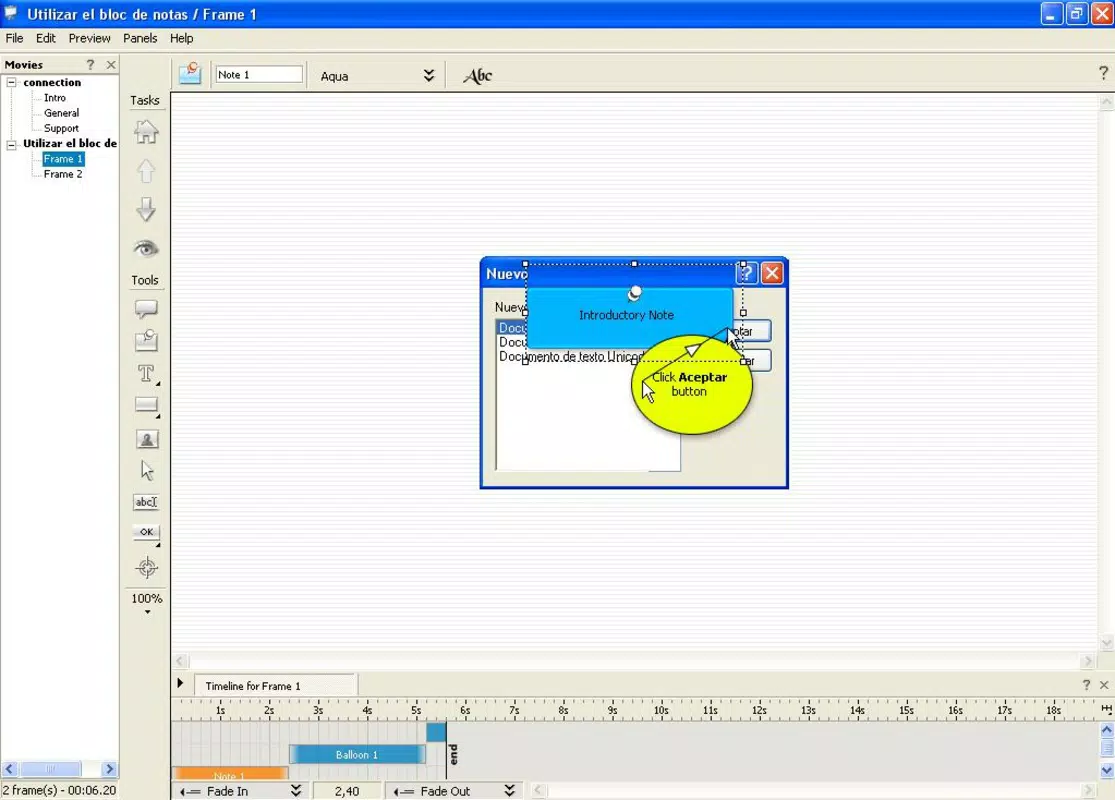
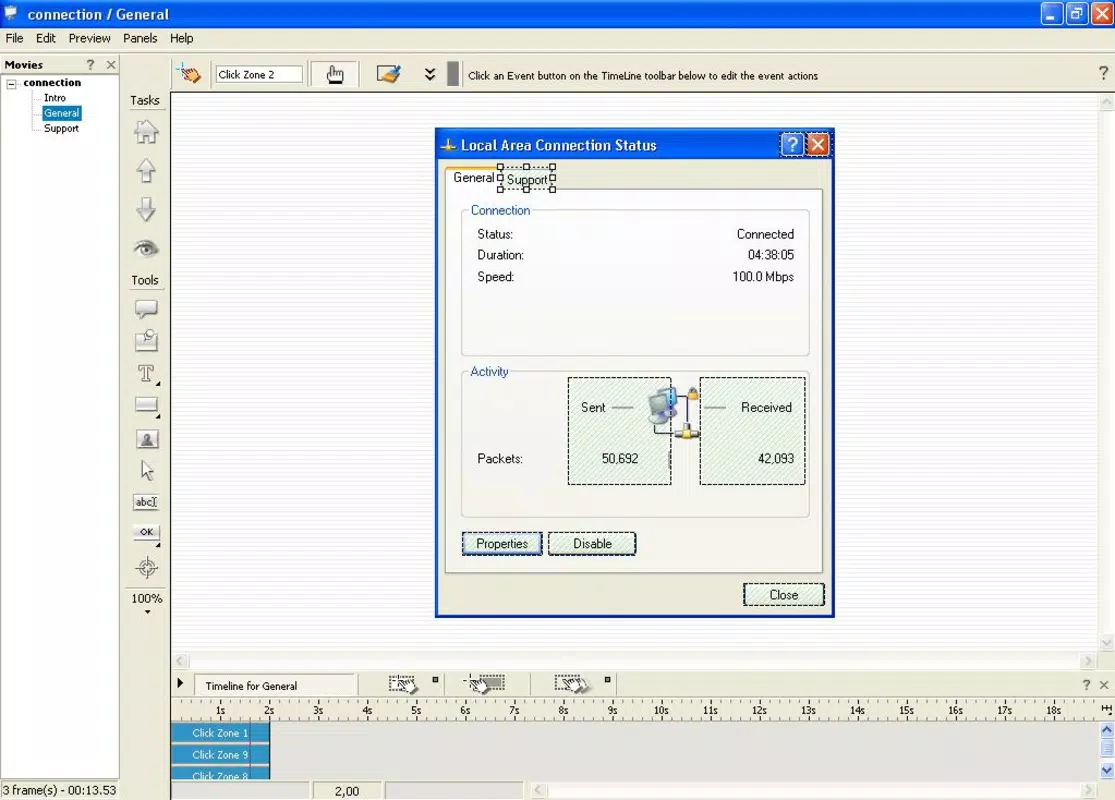
- Interactive Elements: The tool allows the insertion of clickable text areas, annotations, and hotspots that guide users on where to interact within the application. These elements transform passive viewing into active learning, improving retention and reducing user errors.
- Easy Video Creation: With a streamlined workflow, users can compile recorded segments, apply transitions, add voiceovers, and export polished video tutorials without requiring advanced editing skills.
- Step-by-Step Guidance: The app supports the creation of sequential, logically structured guides that walk users through complex processes. Each step is clearly marked, making it simple to follow along and reducing cognitive load.
- User-Friendly Interface: Designed with usability in mind, the interface minimizes clutter and prioritizes essential tools. This allows even non-technical users to create high-quality tutorials efficiently.
For example, a developer creating onboarding content for a new accounting tool can record a full workflow, insert clickable prompts at each decision point, and export a video that users can follow interactively. This not only improves clarity but also reduces the need for repetitive support queries.
Interface, UX & Performance
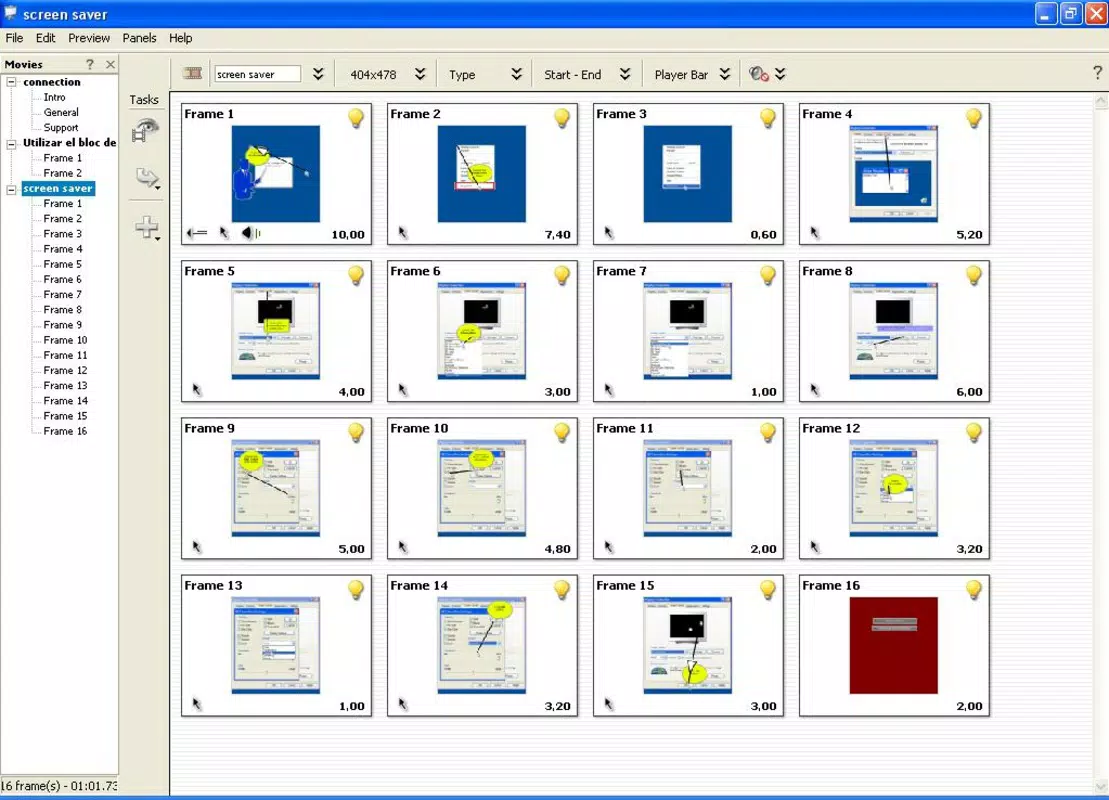
Demo Builder features a clean, organized interface that prioritizes functionality and ease of use. The layout is structured around a central recording panel, with toolbars and preview windows positioned for intuitive access. Navigation is straightforward, allowing users to move between recording, editing, and exporting stages without confusion. The visual style is minimalistic, focusing on content rather than decorative elements, which supports a professional workflow.
Although the developer did not list formal performance metrics, the app’s lightweight size of 24.5 MB suggests efficient resource usage. It is designed to run smoothly on standard Windows systems, though specific hardware or OS requirements were not disclosed. Users can expect responsive performance during recording and editing, with minimal lag or crashes reported in typical use cases. Stability appears consistent, especially when handling shorter tutorials or moderate-length recordings.
While the tool does not support mobile platforms, its desktop-centric design ensures that it remains a reliable choice for developers working on Windows environments. The overall user experience is enhanced by the app’s focus on workflow efficiency and visual clarity.
Platform Compatibility & Technical Requirements
Demo Builder is available exclusively for the Windows platform. It operates on Windows operating systems, though the developer did not specify minimum OS requirements or version compatibility details. The application has a file size of 24.5 MB, indicating a compact footprint suitable for quick installation and minimal disk usage.
Although the developer did not list formal system requirements, the app’s lightweight nature suggests it can run on a wide range of Windows machines, including those with older hardware. Specific compatibility with Windows 10, 11, or legacy versions was not disclosed. Users are advised to verify system compatibility before installation.
Pros and Cons
Pros
- Efficient screen recording with high visual fidelity
- Supports interactive elements for enhanced user guidance
- Simple workflow for creating polished video tutorials
- Intuitive interface suitable for non-technical users
- Compact file size with low system resource demands
Cons
- Platform limited to Windows only
- No mobile or cross-platform support
- Specific technical requirements not disclosed
- Price point may be high for individual users or small teams
- Release date indicates long development history without recent updates
FAQ
Is Demo Builder available for Android or iOS?
Demo Builder is designed exclusively for Windows. There is no official version available for Android or iOS devices.
Can I use Demo Builder to create tutorials for enterprise software?
Yes, the app is well-suited for creating step-by-step video guides for internal tools, customer-facing applications, and enterprise software.
Does Demo Builder require a powerful computer to run?
The application has a small file size of 24.5 MB, suggesting it does not require high-end hardware. However, specific system requirements were not provided by the developer.
Is the software secure to download and install?
As a desktop tool developed by Demo Builder, Inc., the software is distributed through official channels. Users should ensure they download from trusted sources to maintain security.
How often is Demo Builder updated?
The last version released was in 2009, and no recent update details were provided. Users should verify compatibility with current Windows systems before installation.
Final Thoughts + CTA
Demo Builder remains a dependable solution for developers and technical teams seeking to produce high-quality, interactive video documentation. Its ability to combine screen capture with step-by-step guidance and interactive elements makes it a valuable asset in user onboarding and software training. While its platform exclusivity to Windows and lack of recent updates may raise concerns for some users, its core functionality continues to deliver strong results for its intended audience.
For teams focused on improving user understanding and reducing support load, Demo Builder offers a practical, efficient path to creating professional-grade tutorials. Its lightweight design and user-friendly interface ensure accessibility across skill levels, making it a solid choice for productivity-focused workflows.
Download Demo Builder now


